Bring your fundraisers to WordPress
Show your Giving Scoop fundraisers on your WordPress site. Add them to an existing page or create a new draft. Supporters place orders on Giving Scoop.
Public display works with eligible Giving Scoop accounts on WordPress sites that use HTTPS. Dashboard editing and fundraiser request access are separate and require site approval.
Set up the plugin
Get your Giving Scoop account
Ice cream shops. Create a free shop account or sign in as a shop owner or manager.
Schools, teams, and nonprofits. Create an organization account, choose your participating ice cream shop, and wait for the shop to approve your account. Already approved? Sign in as an organization.
Install and connect
Find Giving Scoop in the WordPress.org Plugin Directory. If it isn’t listed in your WordPress admin search, use the official directory ZIP. In WordPress, go to Plugins → Add Plugin → Upload Plugin, then install and activate Giving Scoop.
In WordPress admin, go to Settings → Giving Scoop and choose Connect your Giving Scoop account under Public display connection. Sign in with your eligible Giving Scoop shop or organization account.
If you sign in in a new tab, return to the approval tab and reload it. Approve the connection, then select Return to WordPress.
Create and publish a fundraising page
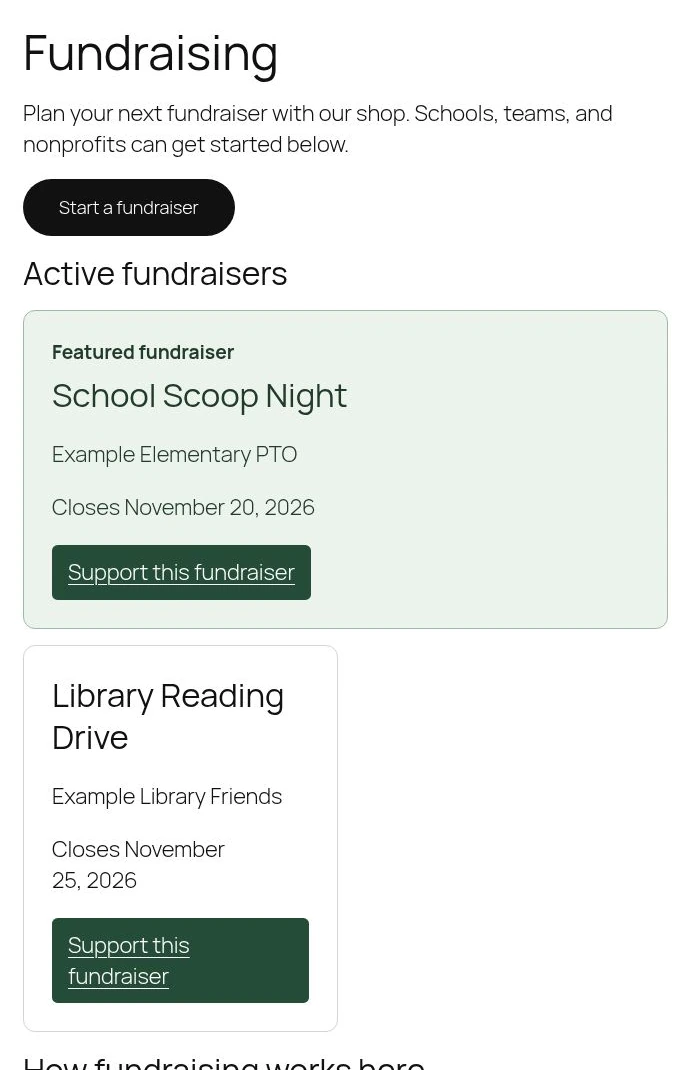
In Settings → Giving Scoop, choose a featured campaign or all active fundraisers and select Create draft page. Review the draft and publish it when ready. You can also add the Giving Scoop Fundraiser block to an existing page.
Need dashboard editing or fundraiser request access?
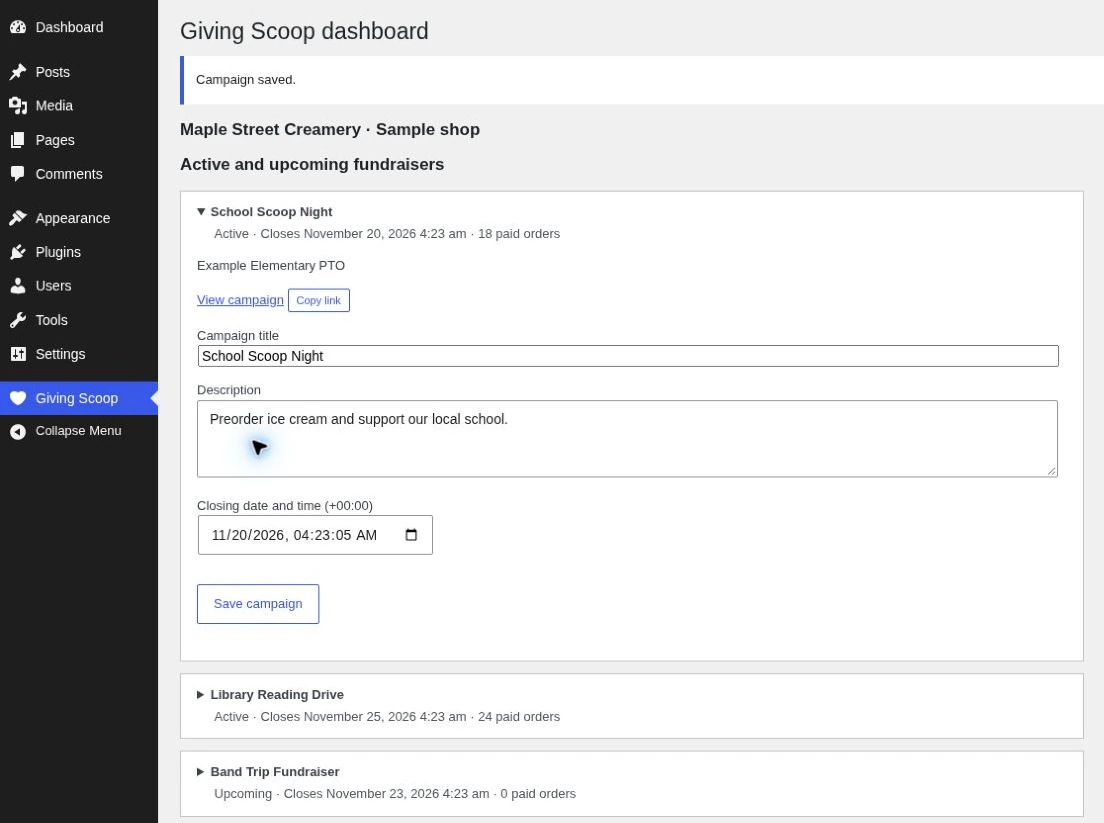
These permissions are separate from public display and require site approval. If your site has dashboard access, eligible shop owners and managers can choose Giving Scoop → Link Giving Scoop dashboard in WordPress admin. Contact us about additional WordPress permissions.
Requires WordPress 6.5 or later, PHP 7.4 or later, and a site that uses HTTPS.
WordPress plugin FAQ
Do I need a Giving Scoop account?
Yes. Public display requires administrator access to a WordPress site that uses HTTPS and an eligible Giving Scoop shop or organization account. A separate, site-approved connection is required for WordPress dashboard access.
Do I have to sign in to Giving Scoop every time?
Sign in to Giving Scoop when you connect public display. Showing campaigns on your site does not sign you into the Giving Scoop dashboard or give WordPress permission to edit campaigns.
What can I edit from the WordPress dashboard?
On an approved WordPress site, eligible shop owners and managers can separately link their dashboard to view campaign details and edit eligible titles, descriptions, and closing dates. Contact us if you need dashboard or fundraiser request access.
Does the plugin create a WordPress page?
With public display connected, use Create draft page to feature a campaign or list active fundraisers. You decide when to publish it. You can also insert the Giving Scoop Fundraiser block into an existing page.
Why is my fundraiser missing?
The picker shows public, active fundraisers available to the connected account. Check that the campaign is published in Giving Scoop and that its selling window has started. Ended fundraisers drop out of the active list.
Where do supporters place orders?
The support button opens the fundraiser on Giving Scoop. Giving Scoop handles checkout, payments, and order details. WordPress displays the public campaign information.
How much does the plugin cost?
The plugin is free. Standard Giving Scoop fees apply to orders placed through the platform.
What can I do when my connection expires?
Dashboard access renews during use and expires after 30 days of inactivity. Relink from Giving Scoop in WordPress admin. The separate public display connection lasts 30 days. Renew it from Settings → Giving Scoop.